The owner dashboard
UVStack saves every guest conversation and order. The dashboard turns that into short summaries, and the original conversations are there when you want the detail.
Owners have their own login, separate from staff.
Analytics
Reports cover sales, orders, average order size, busy hours and kitchen times. They also show which dishes sell, which never get ordered, and what guests asked for that isn’t on your menu.
Saturday, orders by hour
Point at an hour, or use the arrow keys, to see what happened in it. The dashed line is the day’s average, 15.
Saturday, 7 pm
Busiest- Orders
- 26
- Sales
- $884.00
- Kitchen
- 19 min
- Most ordered
- Ginger-Lime Sea Bass
- Guests asked most about
- Vegetarian and vegan
Sample numbers for a made-up restaurant.
The real analytics page
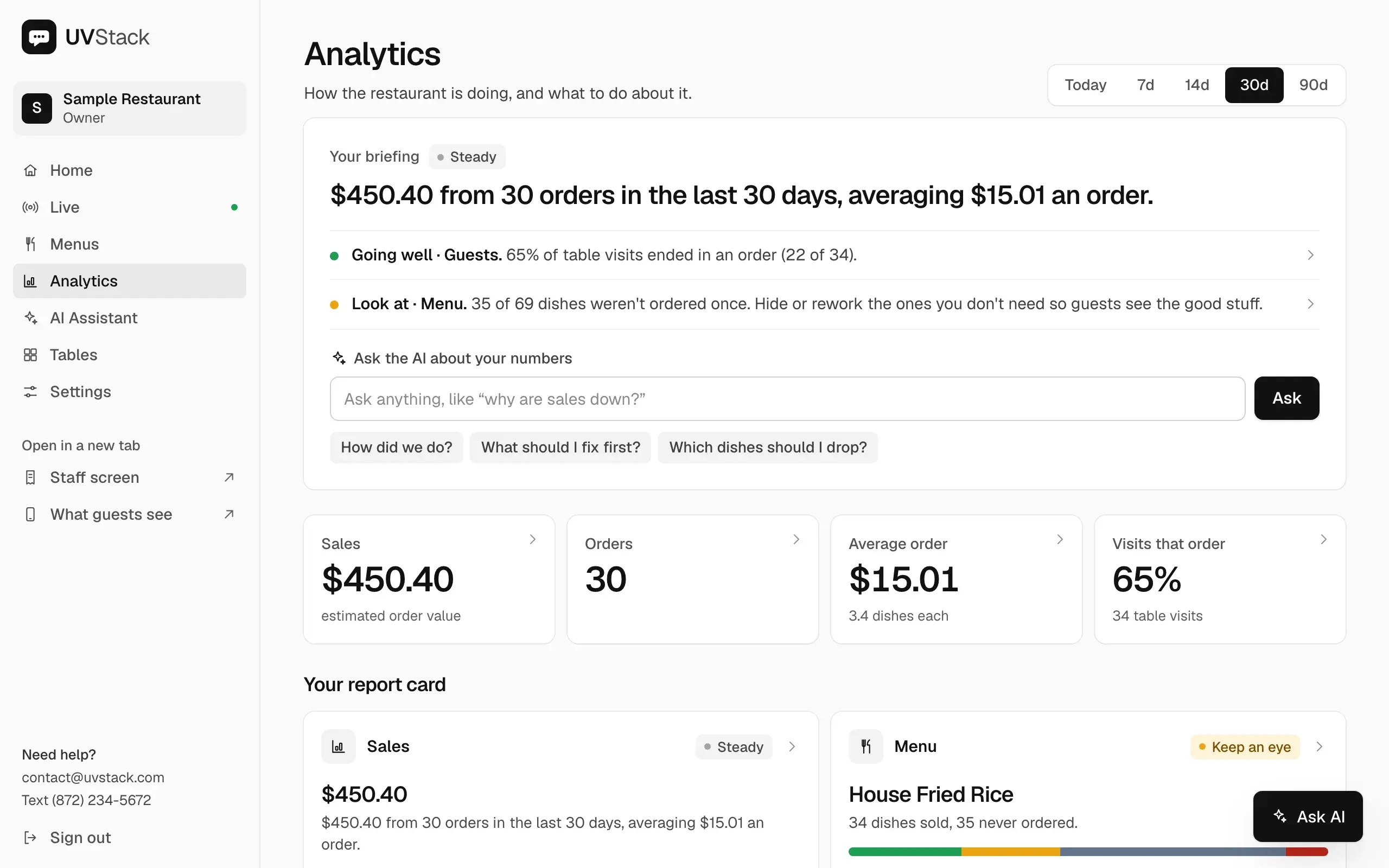
A short summary first
Analytics opens with a plain-language summary of sales, the menu, guests and the kitchen, with a page of detail behind each.
Questions about your numbers
Type a question such as “which dishes should I drop?” and get an answer based on your own data.
Suggested changes
A recommendations page names specific dishes and gives steps for what to fix or try next.
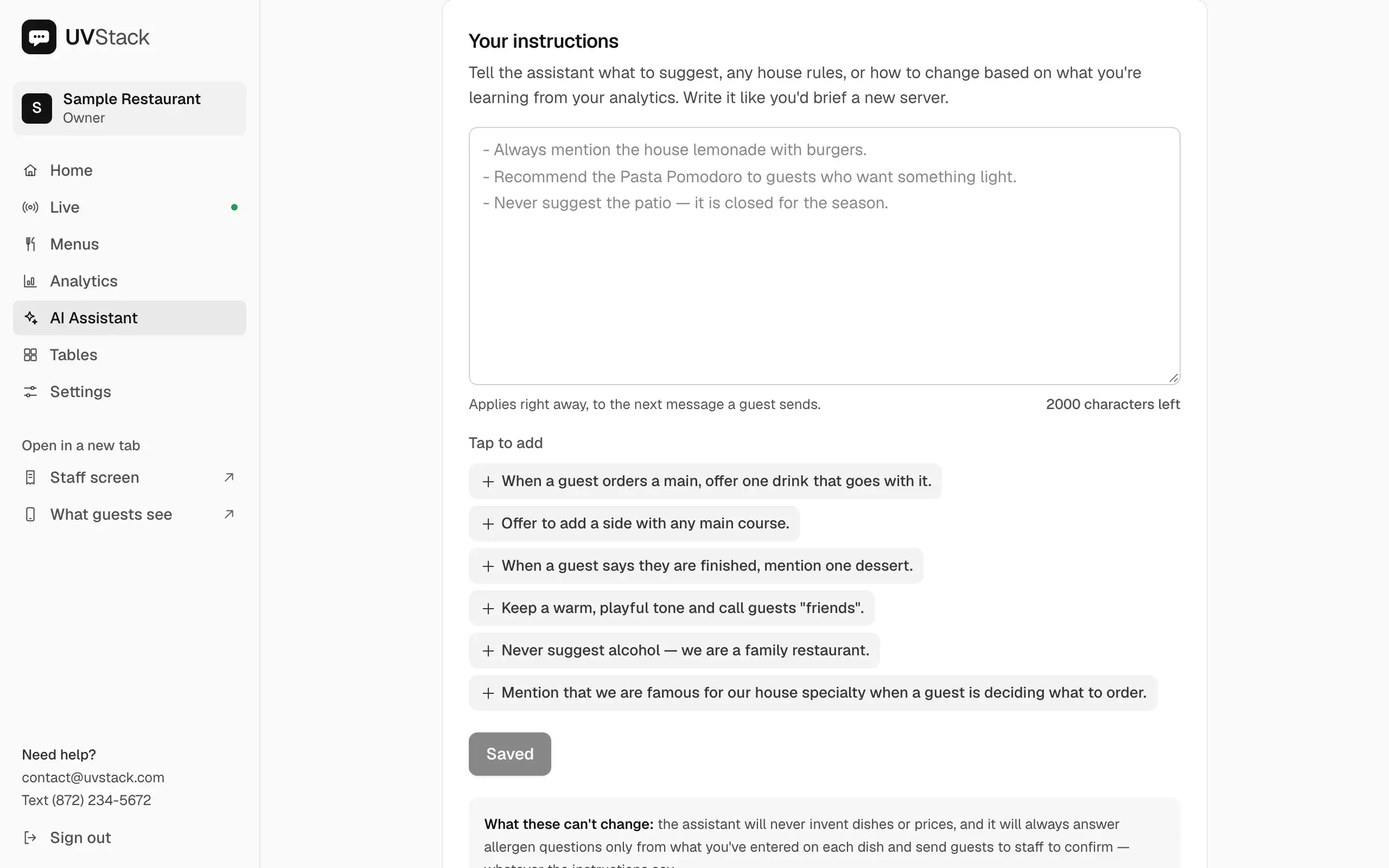
Tell the assistant how to behave
Write instructions in plain language, such as what to recommend, how to talk and what never to suggest. They apply from the next message a guest sends. The assistant is told to use only your menu and to send allergy questions to staff.
Try it with a real AI: write an instruction, ask a question a guest might ask, and compare the two answers.
1The owner writes instructions
Write them the way you would brief a new waiter. Anything goes: what to recommend, how to talk, what never to suggest.
The assistant reads these with every message a guest sends. It still sends allergy questions to staff, whatever the instructions say.
2A guest asks a question
Pick a question and a real AI will answer it from a sample menu. Write an instruction on the left first to see how it changes the answer.
The real settings page
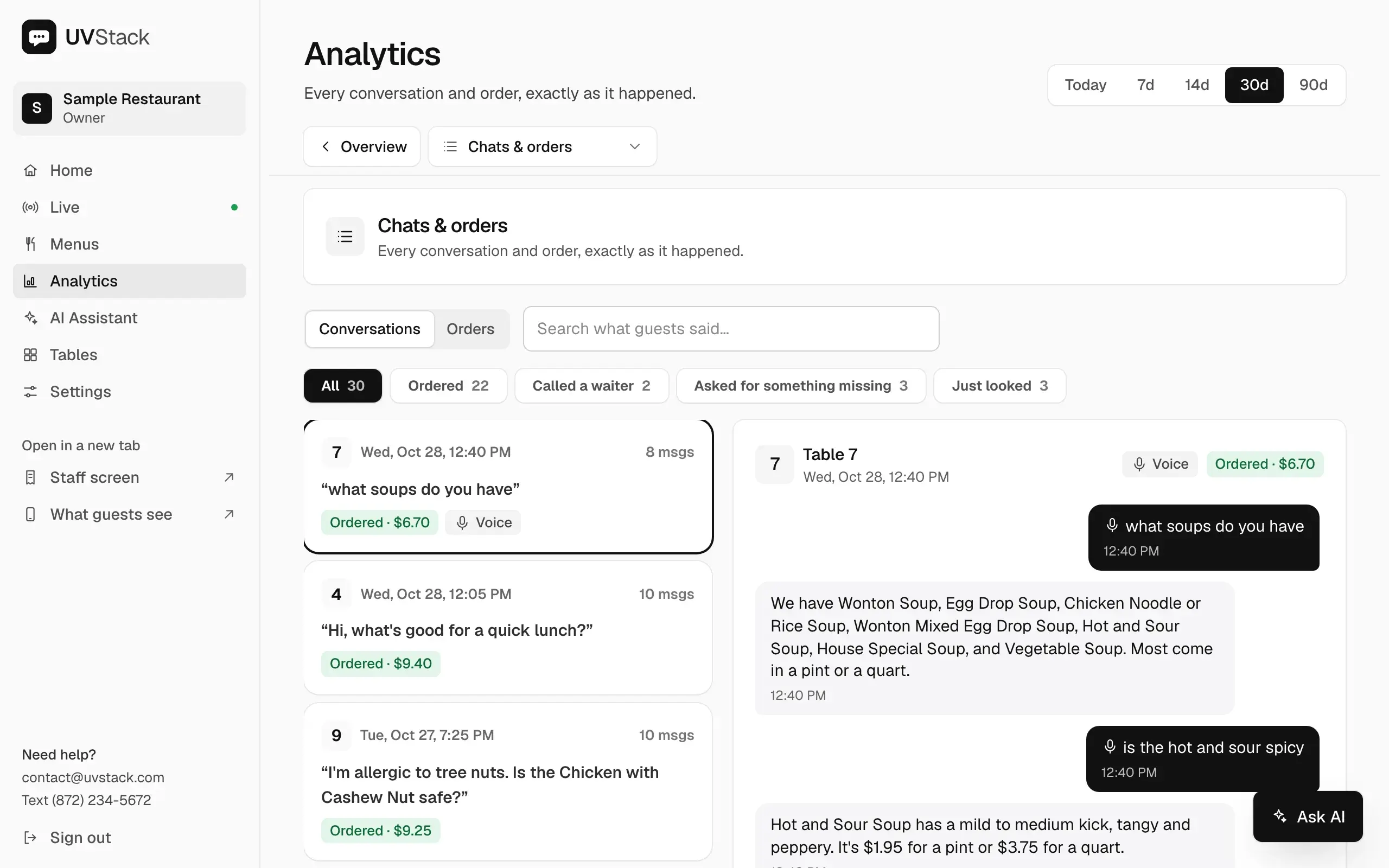
Read conversations and check on service
Open any conversation to see what the guest asked and what they ordered. On your phone, the Live page shows sales so far today, orders, waiter calls and which tables are busy.
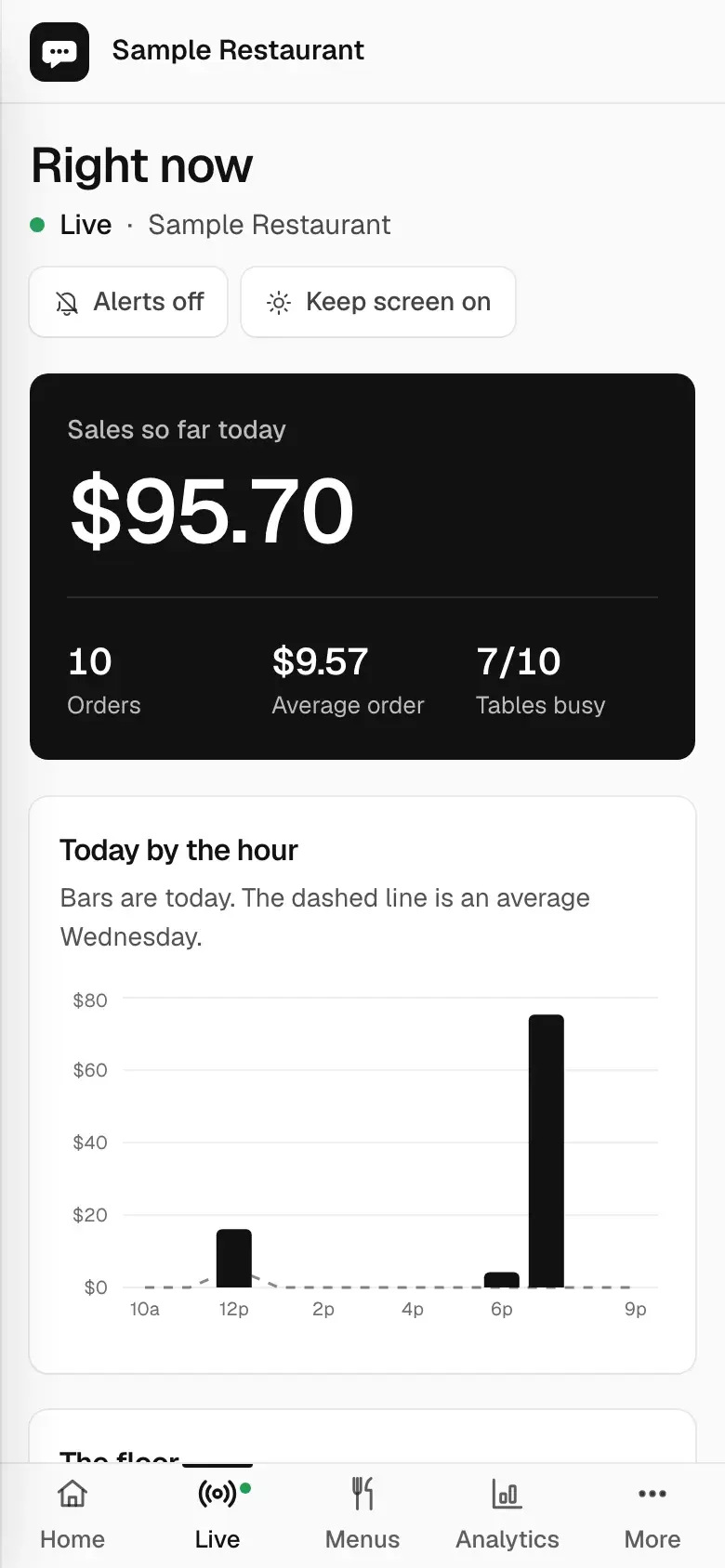
Screens show a sample restaurant with sample data.
Set up UVStack for your restaurant
Creating an account takes about a minute. New accounts are locked until you enter an access code, so email or text us and we’ll send you one. If you’d like help with your first menu, just ask.